Vibe Coding with Claude: Building a D&D Campaign Hub in an afternoon
How a simple idea turned into a working system, and what it changed about how I build

When I first joined Intuit, I introduced myself with a fun fact: I’m a Dungeon Master. Which sounds questionable until you realise it just means running a Dungeons & Dragons (D&D) campaign.
About once a month, I spend an entire Saturday in person with a group of friends, telling a shared story in a fantasy world. It’s part improv, part game. As the Dungeon Master (DM), I control the world. The players control their characters.
One of the less glamorous parts of the job is combat logistics. Behind the scenes, it’s a lot of bookkeeping: tracking turn order, hit points, status effects, and a dozen small details that keep the game moving. If that breaks down, the pacing falls apart.
We had been using a physical board to track all of this. It worked, but only just. I’d lose track mid-fight, forget conditions, or slow things down while trying to keep the battle flowing. There are tools for this. But they take time to learn, cost money, and never quite match how your table actually plays. So instead of looking for a better one, I asked Claude to build it.
From idea to live website in 30 minutes
I expected to get a rough prototype. Within a couple of minutes, I had something working.
I gave Claude some context about my D&D campaign and asked it to build an initiative tracker. It returned a fully working HTML file on my computer, with a clean UI and features I hadn’t even thought to ask for. That alone was useful, but I wanted to see how far I could take it.
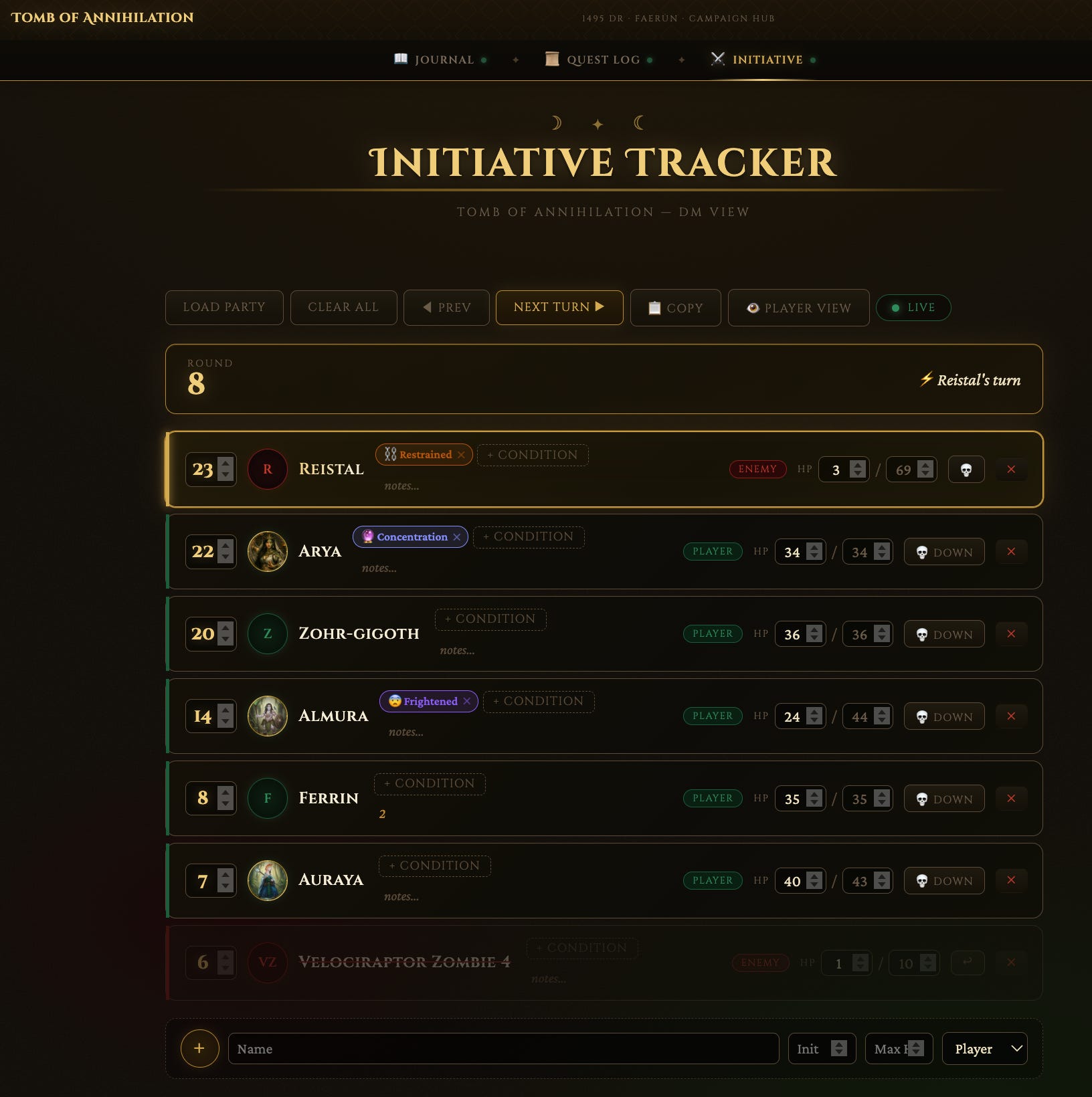
The first version was local, only visible to me. So I asked Claude to help me make it shareable. I created separate views for me and my players, then asked Claude how to publish it. It recommended Netlify, which it could connect to directly via MCP (more on connectors in my previous article). I followed its instructions, and less than 30 minutes after starting, I had a live website. A few years ago, this would have taken me at least a weekend.
Of course, it wasn’t perfect. The data didn’t persist. Every user saw their own version. Refreshing the page wiped everything. But those issues didn’t really feel like blockers, just the next issue to fix. Given my software development background, I knew I had to move from client-side storage to a proper backend. Claude recommended Supabase. Just like with Netlify, I set it up in minutes, mostly through natural language.
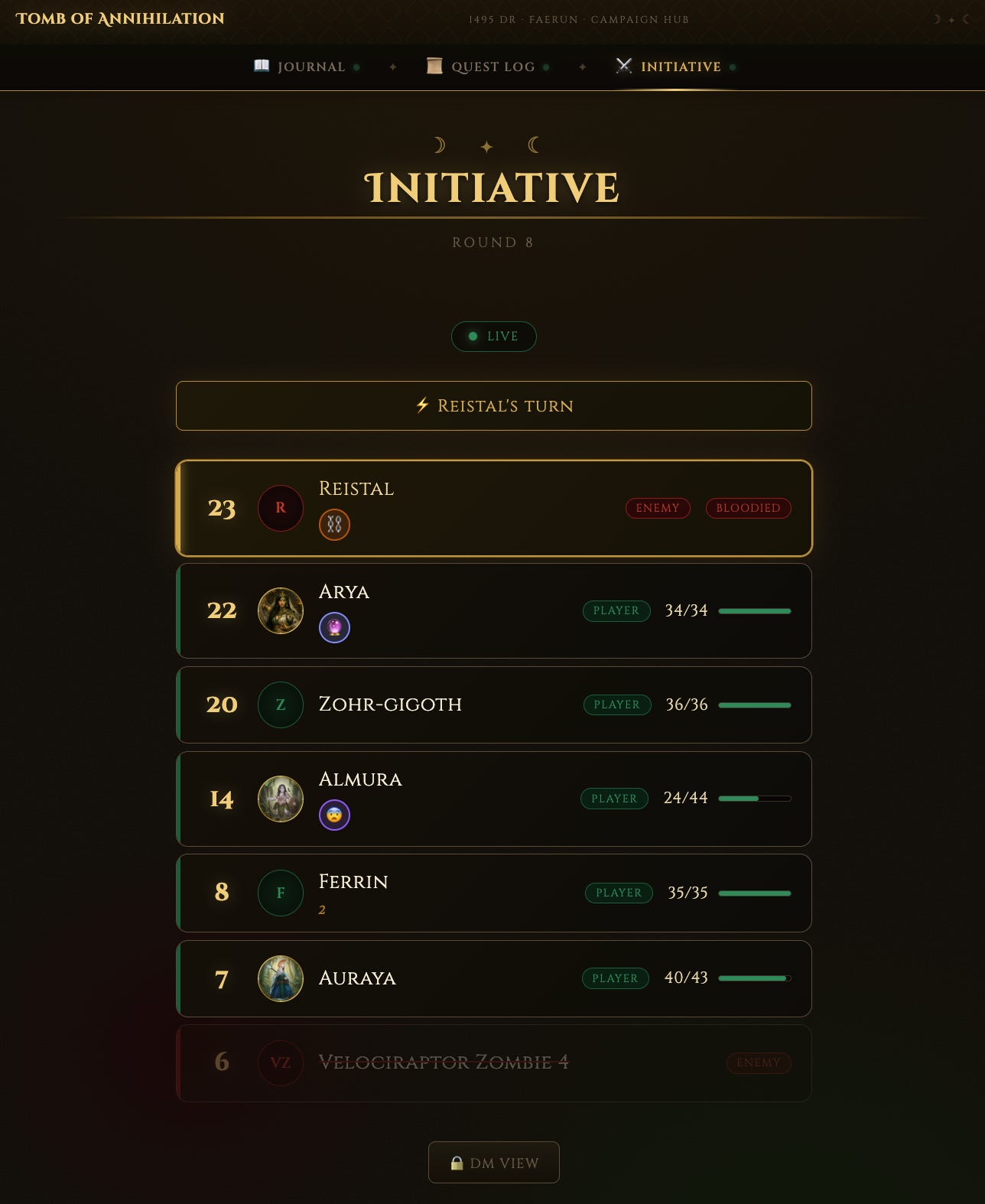
While I did give myself the ability to directly manipulate via the DM view what my players could see, I found myself more commonly using just natural language in Claude. Thanks to the context I had already built for my D&D campaign in Claude (such as character sheets, key monsters), I could now start a new chat with Claude and say things like, build a jungle-based encounter for my characters that is appropriate for their level, and it would fill the initiative tracker with both the characters and the appropriate foes.
Expanding the hub: Journal and Quest Log
After my first real taste of Claude’s vibe coding powers, I wanted more.
Another part of my DM job is keeping everyone across what’s happened. Sessions are weeks apart, people miss games, and details get lost. I’d been using a Google Doc to track this, but it looked boring and wasn’t automated. So I decided to extend the hub.
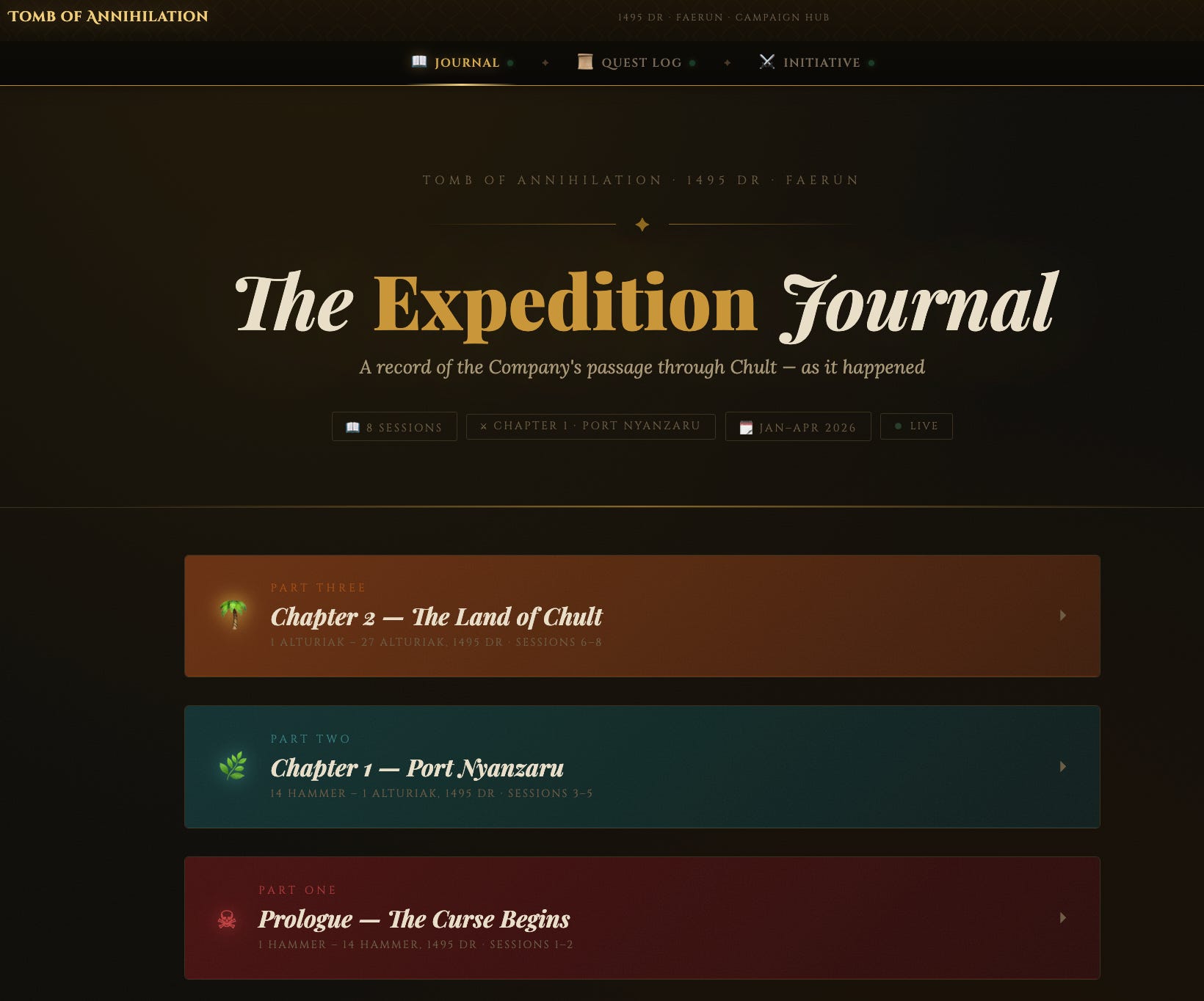
I worked with Claude to build two additional pages: a journal to capture what had happened so far, and a quest log to track what the party was currently working towards. Like the initiative tracker, they were simple HTML pages, hosted on Netlify and backed by Supabase. I linked everything together with a basic navigation bar so it felt like a single system.
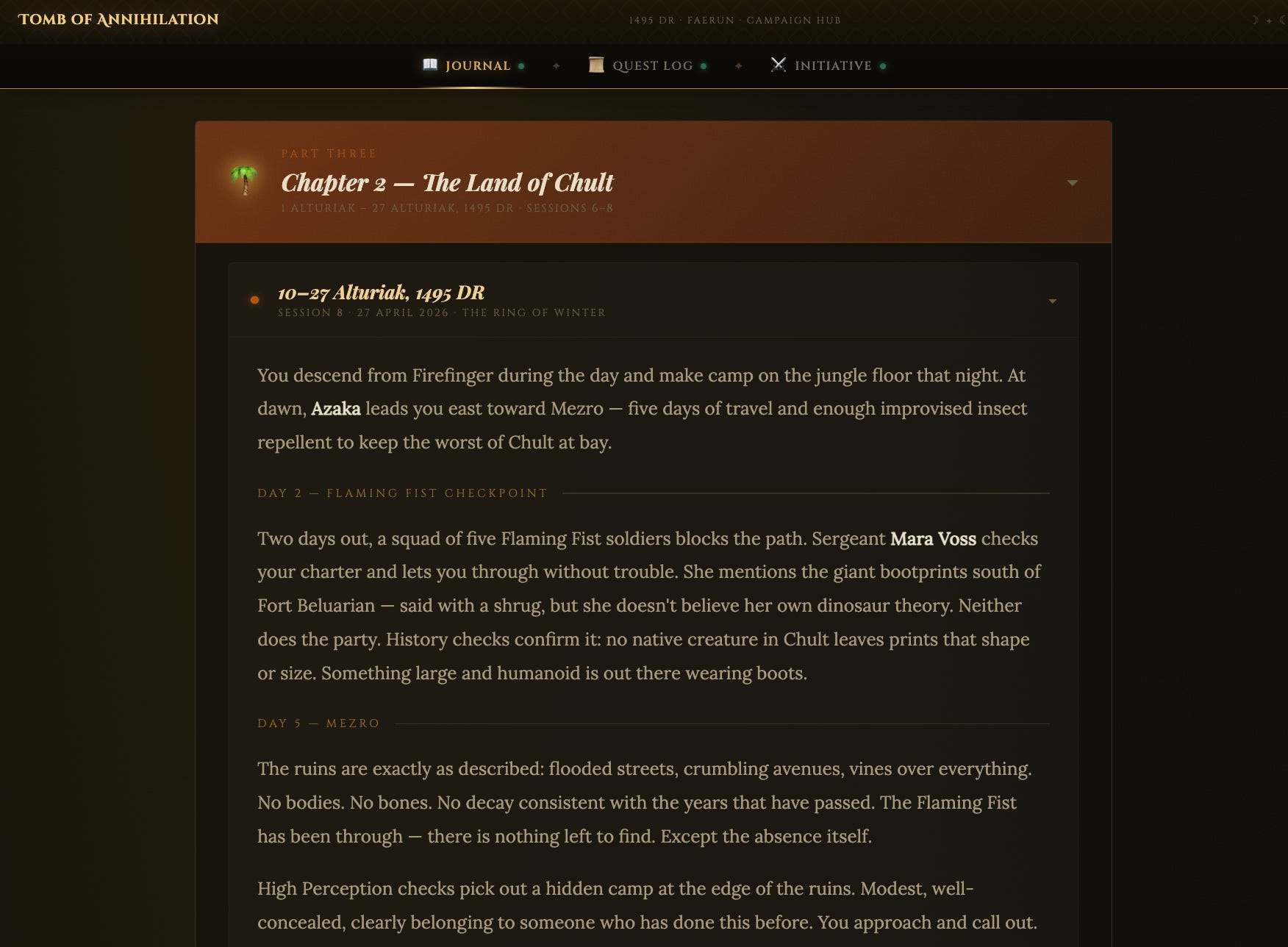
There were a few bumps along the way. Claude initially used iframes to stitch everything together, which looked fine on desktop but broke on mobile, which is how my players actually used it. I ended up restructuring into separate pages with a shared layout. I also streamlined deployment by connecting Netlify to GitHub, so changes to the layout could go live with a simple push.
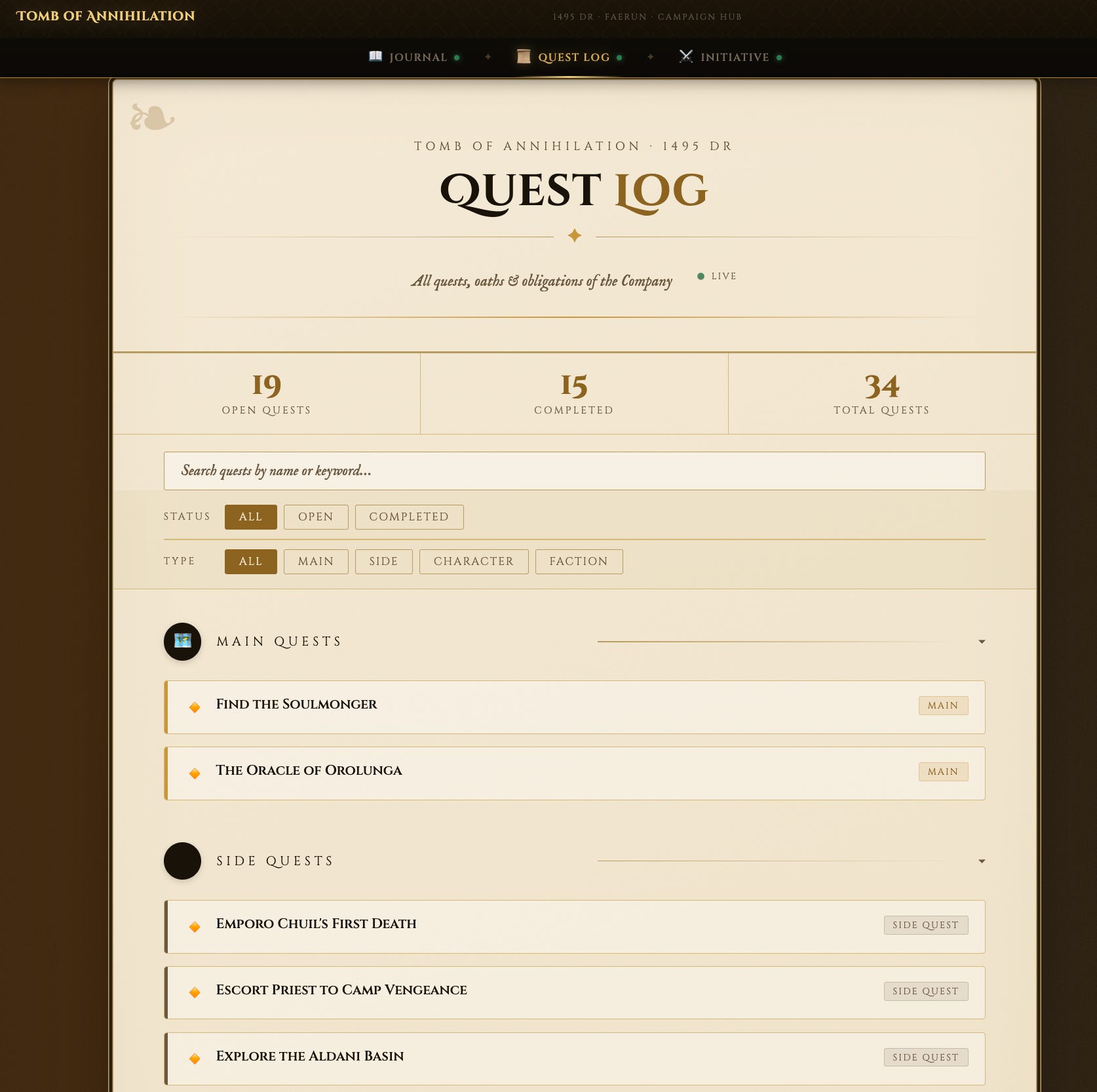
Instead of manually updating documents, I could now feed Claude a D&D session summary and have it update both the journal and the quest log. It wasn’t always consistent in how it did this, which is when I realised I needed a more structured workflow.
Turning workflows into skills
That’s where Claude skills came in, custom workflows I built to make this repeatable (learn more about skills in my previous article).
Up until this point, the workflow was fast but inconsistent. Claude could update the journal and quest log, but it didn’t always do it the same way. I found myself re-explaining what I wanted after each session. So I started structuring those workflows.
Whenever something worked well, I asked Claude to capture that process so it could be reused. Over time, this turned into a small set of skills that handled different parts of the workflow.
For example, instead of going straight from raw session notes to updating the site, I split the process in two: first drafting, then applying changes. That gave me a chance to review and edit before anything went live.
The same idea applied to the quest log. Claude would first analyse what had changed, propose updates, and only then apply them to the database.
What started as a few prompts gradually became a system. By this point, my post-session workflow looked roughly like this:
I drop in my session notes
Claude drafts the journal entry
It proposes updates to the quest log
I review and tweak if needed
And then everything gets pushed live
All in a single conversation.
What stood out to me was how similar this felt to building software before, breaking a problem into smaller steps, defining clear inputs and outputs, and iterating over time.
The difference was that I wasn’t writing code. I was describing the system in natural language and letting Claude handle the implementation.
Iterating based on player feedback
Once we started using the hub in real sessions, new needs showed up quickly. Most of the improvements were small but meaningful: adding token images for each character, notes fields for tracking edge cases mid-combat, and visualising status conditions with simple icons and tooltips. Nothing complex, but each change made the game run a bit more smoothly.
Over time, the hub became part of how we play rather than something sitting alongside it. It didn’t replace the in-person experience, it just removed some of the friction around it.
What I found interesting was how quickly I got value from the tools I was using. By the time I hit the limits of Netlify and had to pay to keep the site online, it didn’t feel like a decision anymore. I’d already had enough aha moments that $9 felt like an easy trade.
If I had to do it again from scratch
There are a couple of things I’d approach differently.
First, I’d start with a clearer design system. Because I added features incrementally, each page ended up looking slightly different. It works, but it’s a bit of a “frankendesign”, and harder to extend cleanly.
Second, I’d be more deliberate about structure earlier on. Letting Claude generate everything quickly was great for speed, but it also meant some decisions weren’t ideal long term. For example, I later realised that character images had been embedded directly into the HTML rather than stored separately, which made things harder to change.
More broadly, this is the tradeoff: you can move very quickly, but you still need to think about structure if you want to keep building on top of it.
On the tooling side, I’ve also shifted most of my work from Claude Chat into Cowork, which makes it easier to work directly with files. If I was starting again today, that’s where I’d begin.
What changed about building
AI is now a core part of how I run my campaign. I keep finding new ways to use it, whether that’s generating encounters, creating visuals, or just reducing the amount of admin between sessions.
What still surprises me is how different building feels now. I studied software development in one of my multiple degrees, and I remember how long it used to take to get something working end to end. This time, I built and shipped something people actually use without writing a single line of code.
I always liked building, but never really made time for it after uni. This made it feel accessible again. The main shift for me isn’t just speed. It’s how easy it is to try something and how much the barrier to creation has dropped. You can start with a rough idea, build something quickly, and decide later whether it’s worth investing in.
And in this case, a simple idea turned into a tool that’s now part of how we play.